Reaching 400+ AI models with a single API
OpenRouter and Together AI: one key to try GPT, Claude, Llama or Mistral, automatic fallback when a provider goes down, and cheaper open-source models.
3 min read
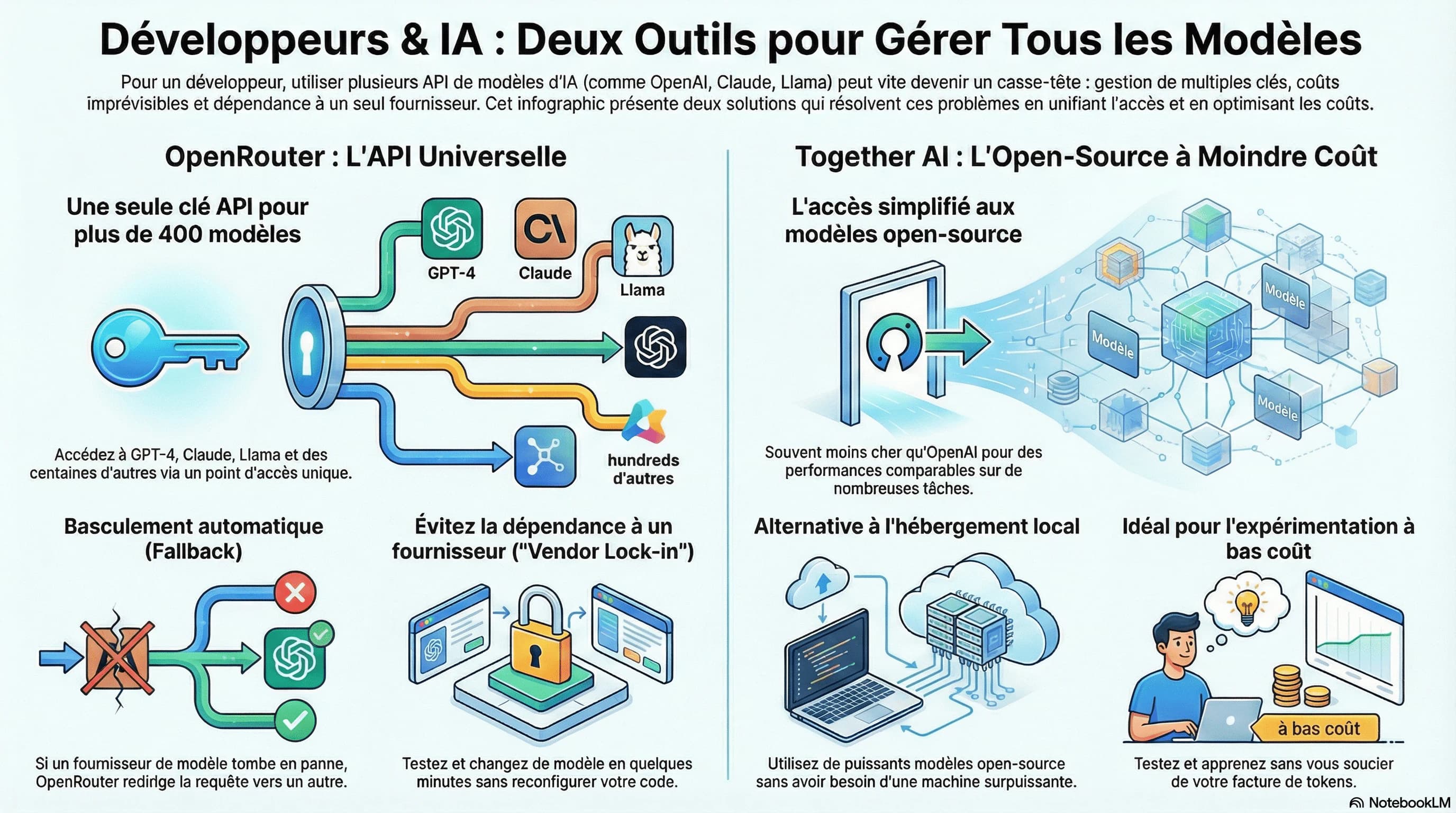
When you start getting into AI as a dev, the classic reflex is to go to OpenAI, create an account, generate an API key, and start playing with GPT.
It works right there and then. But very quickly, questions come up:
- What if I want to try Claude, Llama, Mistral, run a benchmark?
- Do I have to create an account on every platform?
- How do I keep track of costs if I want to compare several models?
- And if the OpenAI API goes down in production, what do I do?
I have just come across two tools that help solve all of this.
OpenRouter: one API, 400+ models
OpenRouter is a sort of "universal router" for AI models.
The principle is simple: you create an account, you get an API key, and with that single key you can call GPT-4, Claude, Llama, Mistral, and hundreds of other models.
What I found clever:
- A single API key for everything, no more 10 different accounts
- Automatic fallback: if one provider goes down, OpenRouter switches to another
- No vendor lock-in: you do not depend on a single company
Basically, you can try 10 different models in 10 minutes without reconfiguring anything.
Together AI: open-source models at lower cost
Together AI focuses on open-source models: Llama, Mistral, and others.
The main draw: it is often cheaper than OpenAI for comparable performance on certain tasks.
And let us be honest, when you launch a SaaS or build an agent, you do not always need the power of the latest model from Anthropic or OpenAI. For simple routing, classification, or repetitive tasks, an open-source model does the job.
The alternative is to run everything locally. But if you have 8 or 16 GB of RAM, good luck running Llama 70B on your machine.
If you want to cut your production costs, or simply try open-source models without installing anything locally, it is a good option.
Why it helps when you are learning AI
When you follow a course or tutorials, you are going to burn tokens on tests, mistakes and retries.
With open-source models through Together AI or OpenRouter, it costs almost nothing. You can experiment without checking your billing dashboard every 5 minutes.
Where to start?
If you are reading this, you are a dev — I will let you go and read the docs:
- OpenRouter: openrouter.ai
- Together AI: together.ai
Do you use other tools to manage your LLM calls? I am curious to see what is out there.
Covered here
- AI
- LLM
- tools
- TypeScript